Have you also come across „Meta Busines Suppotrs" and similar profiles in recent days, perhaps even among your friends? A slightly more sophisticated scam than usual is spreading – yet it's not that hard to protect yourself
Many people may have noticed on Facebook in recent days, even among their own friends, a surge of official-sounding profiles, often with poor spelling – one of the most common names being Meta Busines Suppotrs.
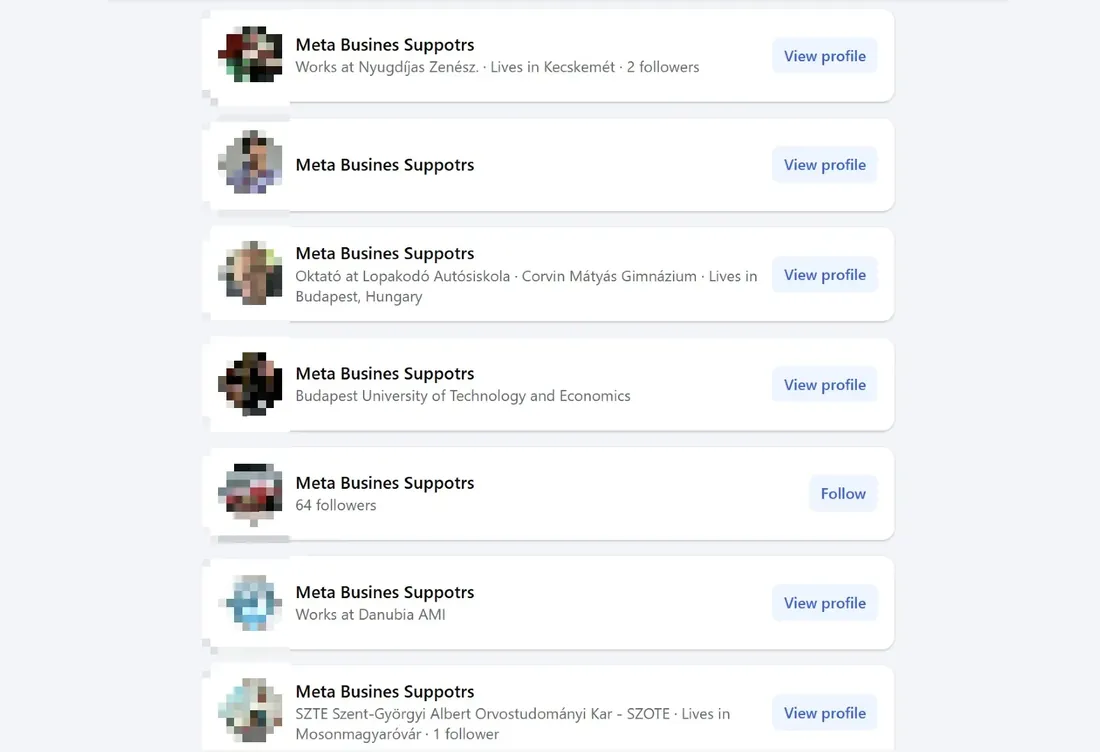
It's very likely that the owners of these accounts fell victim to a scam that has stepped up a gear in recent weeks: an official-looking email or Messenger message arrives, apparently from Facebook or its parent company Meta, usually warning that the user must verify their identity because of some violation, or their account will be suspended within 24 hours.
The email version of the scam is easiest to fend off by always checking the sender and the links you're meant to click. Although – as the IT security education site Netbiztos points out – even the sender can be spoofed, judging by the messages going around the scammers didn't bother: in the screenshot below they used a fake site abusing the name of a well-known bakery-café as the email domain, and merely created an account called security on it, with Facebook set as the display name.

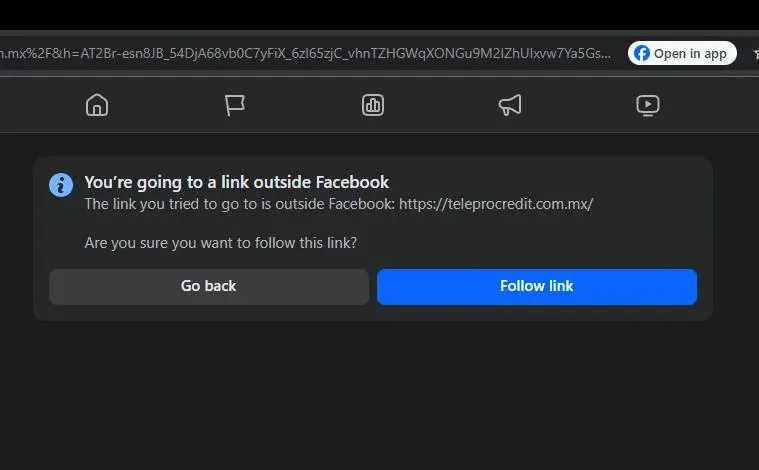
What makes it a notch more sophisticated than usual is that, as the image shows, the account verification button carries a link that really does go to Facebook, even if only for a moment. It's Facebook's redirect page – the one that appears when you click a link on the platform and it asks whether you really want to leave Facebook for an external site. So the URL genuinely starts with facebook.com, but immediately redirects to another, far more suspiciously named site.
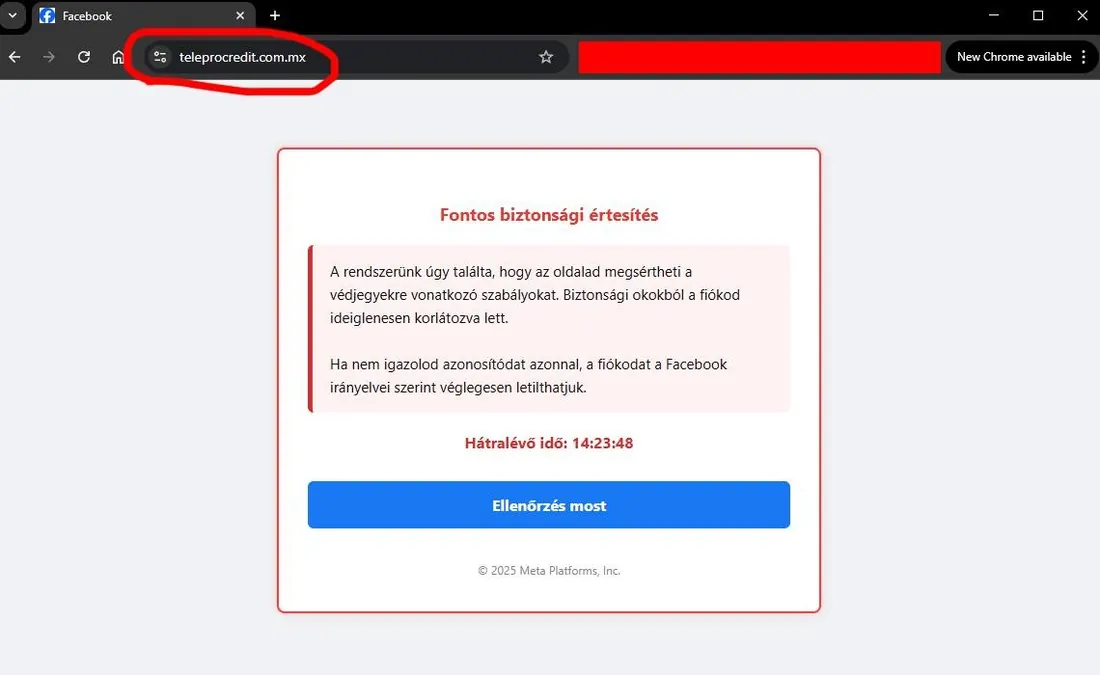
There you're greeted by a message that copies Facebook's design quite skilfully, worded threateningly enough. And if you click the „Verify now" button, the truly dangerous step follows: the page asks for your Facebook login details (email/phone number + password), as if you were logging in to the real Facebook.
With accounts obtained this way, the scammers have an even easier job: they just rename the profile from John Smith to something like Meta Admin, and they've got hundreds of contacts at their disposal whom they can message more directly via Messenger with the threat of a ban within 24 hours – according to reports, several people have already fallen for this.
If you come across a profile with a name like „Meta Busines Suppotrs (Béla Szabó)", it means the person's account was hacked by one of the methods above, but they noticed in time and managed to recover it by changing the password. But since Facebook only allows a name change every 60 days, they have to put up with the fake name for two more months and can only show whose profile it really is by adding a nickname in brackets.
If your account has been hacked but you can still log in, you can do the following:
- change your password immediately,
- set up two-factor authentication, which requires an extra step (such as an SMS code) at each login to confirm it's really the account owner trying to log in to Facebook,
- in Facebook's settings, find the Activity Log and within it Security and Login, where you can see which IP address, location and device were used to log in to your account, and log out unwanted devices,
- finally, you can try contacting Facebook to report what happened, and perhaps get them to restore your name manually before the 60 days are up.
But the most effective way to prevent trouble can't be stressed enough: always, for any message from an unknown sender, check the sender and clickable links carefully – especially when it involves entering a password.